

Page Structure & Formatting
When writing guides, pages, and checklist items, follow these structural and formatting standards.
Checklist guide structure
Section titled “Checklist guide structure”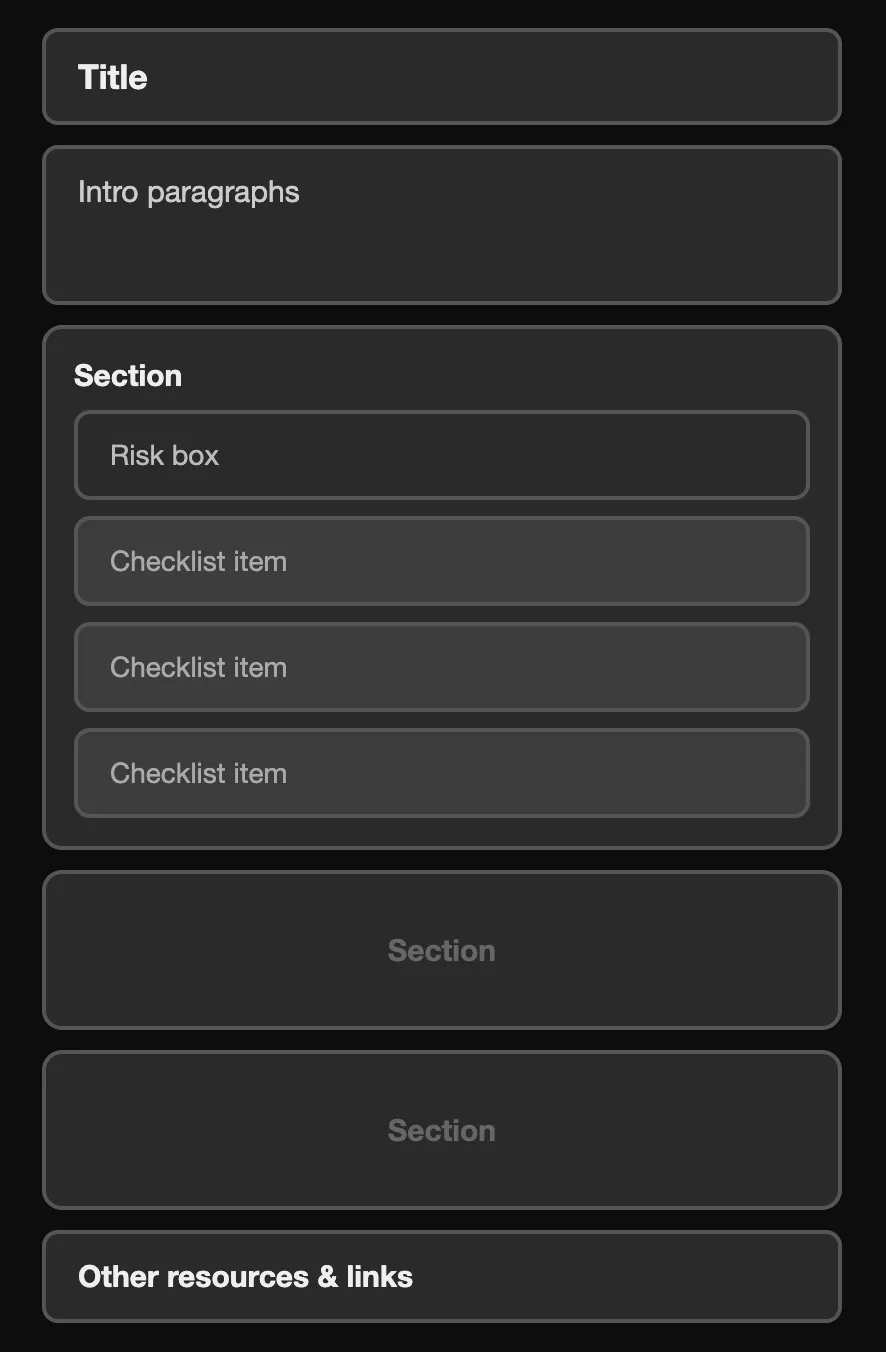
Every checklist guide follows a consistent pattern:
- Title: Short, action-oriented or descriptive. Examples: “Security Essentials,” “Prepare for a Protest,” “Doxxing Defense Checklist.”
- Metadata line: “Last reviewed on [date]” and “Takes about [time estimate].”
- Introductory section: 2-4 paragraphs that explain:
- who this guide is for (and who it is NOT for, if applicable),
- what it covers,
- what risks it addresses (and what it does NOT cover, if applicable),
- and a reminder that people can take practical steps to protect themselves and their community. End this section with something empowering.
- Sections organized by risk level: (See below for more details.)
- Cross-links: End each guide with “Keep learning with these related guides” linking to 2-3 relevant checklists.
- Recommended guides: List 2-4 guides that are related to the current guide.
Sections
Section titled “Sections”Section ordering: If a guide uses risk levels, order sections as everyone, then medium threat, then high threat. (Note: You can have more than one section for a risk level. Example: the Essentials guide has a “get started” section before the main “everyone” section.)
- Baseline / “everyone”: steps for anyone doing the work.
- Enhanced / “medium-threat”: steps for people in leadership or visible roles.
- High-profile / “high-threat”: steps for people at serious risk of targeting.
- Not every guide needs risk-level sections if another structure is clearer (example: Emergency Guide).
Section length (checklist items per section):
- 4-7 checklist items is ideal.
- 10 checklist items is the maximum. Above this, break into smaller groups.
Checklist item ordering:
-
Put the highest-impact items at the top.
-
Also balance for ease and momentum. If the most important task is long and complex, it can be useful to place one or two quick wins first.
Use this prioritization question when ordering items:
If I could only recommend one step, what would it be? Then what are the next one or two highest-impact steps?
Checklist item structure
Section titled “Checklist item structure”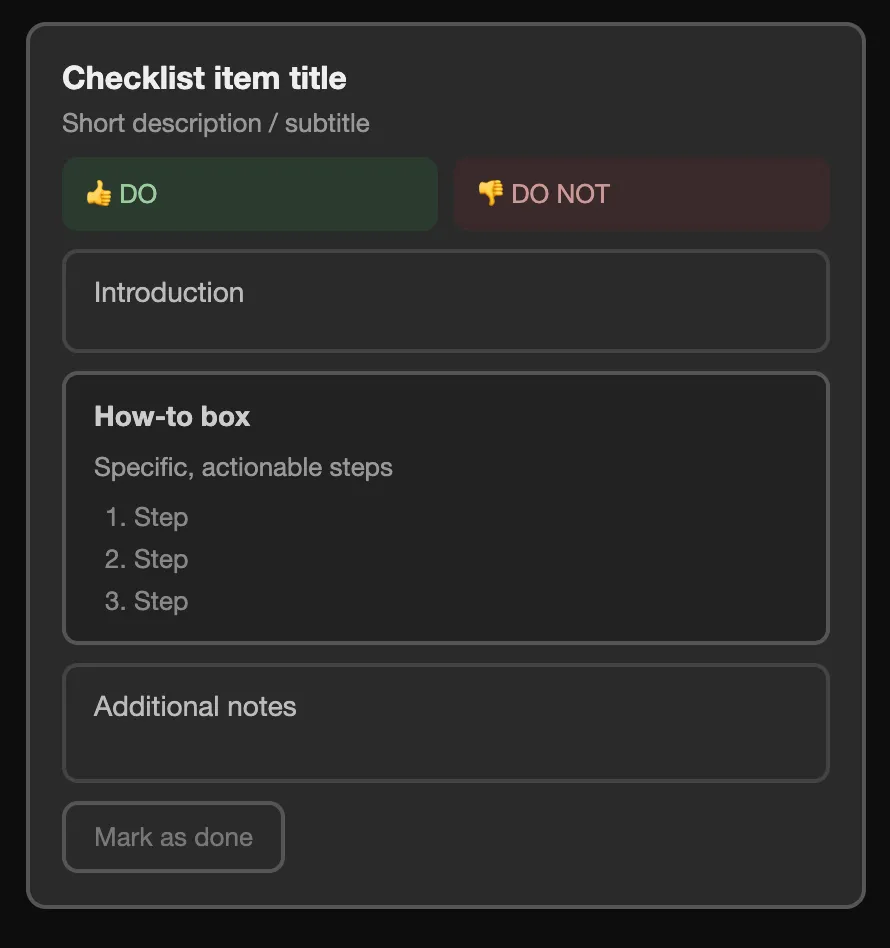
Each checklist item follows this pattern:
-
Headline: A clear, imperative statement of what to do. The title should still be useful even if someone does not expand the item.
- Good: “Set your phone passcode to 8 to 10 random digits”
- Good: “Disable face/fingerprint unlock (biometrics)”
- Not our style: “Passcode considerations”
-
One-line summary (subtitle): A short sentence explaining the benefit. Not all items need one.
- “It takes years for cops to crack an 8-digit random passcode. They can probably guess your current passcode in less than 5 minutes with automated tools.”
-
DO / DO NOT block (when applicable): A quick, scannable recommendation pair. Bold tool names. Only include this block when it earns its place — not every item needs one. Use it when:
- It answers a genuinely common question (“but which browser?” “what about Telegram?”)
- It captures a mistake people commonly make that isn’t obvious from the title (“DON’T keep putting off security updates”)
- The DO and DON’T are meaningfully different from what the title or context already says
Skip it when:
- The item is already brief and essentially just a single setting path to follow. The DO would just repeat the title.
- The situation it addresses is too specific or niche to be widely relevant
- You’d need more than one sentence to make the DON’T make sense. If it needs that much context, put it in the body instead.
-
Context paragraph(s): 1-3 paragraphs for threat context, rationale, and trade-offs.
- Start with 1-2 sentences naming the threat in plain language, with evidence links when possible.
- Follow with 2-3 sentences explaining how the intervention helps.
- Add any decision-making context or caveats needed for the reader.
- Keep this section as short as possible.
-
How-to section: Step-by-step instructions, platform by platform (iPhone, Android, Mac, Windows where relevant). Use numbered lists for sequences and bold key actions.
-
Notes, caveats, and alternatives: Add edge cases, warnings, and fallback options after the main instructions.
Specific formatting blocks you can use
Section titled “Specific formatting blocks you can use”<HowTo> boxes
Section titled “<HowTo> boxes”Use this format in <HowTo> boxes for actionable instructions.
Example menu paths (use the <MenuPath> component):
<MenuPath>*iPhone:* Open Signal > Tap your profile picture > **Settings** > **Notifications** > **Notification Content** > Select **No Name or Content**</MenuPath><MenuPath>*Android:* Open Signal > Tap your profile picture to open **Settings** > **Notifications** > **Show** > Select **No name or message**</MenuPath>Example numbered steps:
- Download Brave Browser
- Install it on your devices
- Set it as your default browser
- etc.
<Alert> usage
Section titled “<Alert> usage”Use <Alert> components in context, how-to, or notes sections as needed:
info(ordefault) for asides and FYIs.successfor encouragement and practical tips.warningfor cautions, limitations, and gotchas.